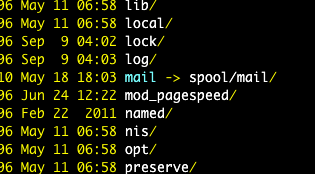
 I like to us a dark background on my ssh terminal. On WebFaction, their terminal environment is setup to output colors on commands like "ls". That is great except the default directory names ended up in blue, which is impossible to read on a black background.
There is a easy way to fix this:
- copy the system default color settings from /etc/DIR_COLORS into your home directory and name it .dir_colors
- edit your copy of .dir_colors file to change the colors.
- For example, I change it to white:
[code]
cp /etc/DIR_COLORS ~/.dir_colors
# than change this line from DIR 01;34 to: DIR 01;37 # directory
[/code]
Original Screen:
